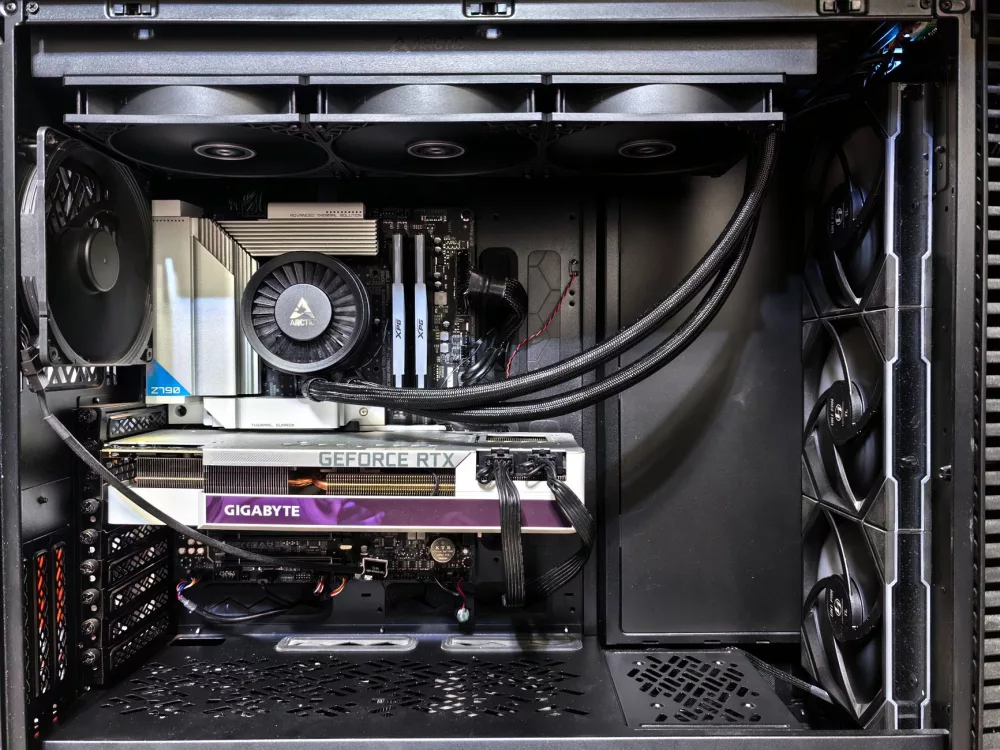
When we talk about professional gamers and streamers, Michael 'Shroud' Grzesiek's name almost immediately comes to mind, doesn't it? He's legendary for his incredible aim, game sense, and frankly, his seemingly effortless dominance across a variety of first-person shooters. It's only natural then, that so many of us wonder: what kind of beast is he running? What's under the hood of Shroud's PC that allows him to perform at such an elite level?
I've always found it fascinating to look at what top-tier players like Shroud use. It's not just about raw power; it's about optimization, synergy, and choosing components that perfectly complement his playstyle and the demands of competitive gaming. Let's really get into the specifics of his machine, discussing the key components, the 'why' behind his choices, and how it all comes together to create the ultimate gaming experience.
The Core Philosophy Behind Shroud's Hardware Choices
Before we break down individual parts, I think it's important to understand Shroud's general approach. He's not just slapping the most expensive parts together; there's a method to the madness. His primary goals are usually:
- Uncompromised Performance: He needs the absolute highest frame rates possible, even in the most demanding titles, to ensure fluid gameplay and minimal input lag.
- Reliability: During a live stream or competitive match, hardware failure just isn't an option. Stability is king.
- Responsiveness: Low latency from his peripherals and monitor is crucial for reaction times.
- Streaming Capability: Beyond just gaming, his PC needs to handle encoding high-quality video for his massive audience without any hitches.
These aren't just 'nice-to-haves' for Shroud; they're absolute necessities. He makes a living by being at the top of his game, and his equipment is a huge part of that.
Deconstructing the Beast: Key PC Components
So, let's pull back the curtain on what's typically inside a machine worthy of Shroud, or what he's been known to use in the past. Keep in mind, these setups evolve, but the principles remain the same.
The Central Processing Unit (CPU)
For someone like Shroud, the CPU is the brain of the operation, absolutely critical for both gaming and streaming simultaneously. You'd expect nothing less than a top-of-the-line processor, something that can chew through game logic, AI, physics, and handle complex encoding tasks without breaking a sweat. We're talking about:
- Intel Core i9 or AMD Ryzen 9: Currently, he's often seen with the latest generation of these flagship processors. The Intel Core i9-13900K or i9-14900K, or perhaps an AMD Ryzen 9 7950X3D, are strong contenders. These CPUs offer a high core count and incredible single-core performance, which is still incredibly important for gaming. The 'X3D' chips from AMD are particularly interesting for gaming due to their large L3 cache.
Why this choice? It's simple: maximum raw power for high frame rates and enough headroom for heavy streaming workloads using software encoders like OBS, though he also benefits from hardware encoders on his GPU.
The Graphics Processing Unit (GPU)
This is where a significant chunk of the budget goes, and for good reason. The GPU renders all those beautiful pixels on his screen, and for competitive gaming, it needs to do it *fast*.
- NVIDIA GeForce RTX 40 Series (e.g., RTX 4090): There's really no substitute for the best here. The RTX 4090 offers unparalleled performance, especially at higher resolutions and refresh rates. This allows him to push hundreds of frames per second in almost any game, even at max settings, which is essential for his high refresh rate monitor. The latest generation also brings impressive Ray Tracing capabilities and DLSS 3.0 for even more frames, though competitive players often prioritize raw rasterization performance and low latency.
The RTX 4090 isn't just for showing off; it's about eliminating any potential GPU bottleneck and ensuring consistently smooth, high-fidelity visuals.
Random Access Memory (RAM)
While often overlooked by casual users, RAM speed and capacity are crucial for system responsiveness and game loading times, especially when multitasking like streaming.
- 32GB DDR5 RAM: He's typically running 32GB, often in a dual-channel configuration, with speeds upwards of 6000MHz. Some pros even opt for 64GB, just because they can.
Higher frequency RAM helps the CPU feed data to the GPU more efficiently, leading to slightly better minimum frame rates and overall system snappiness. 32GB provides ample room for multiple applications, streams, and games without ever hitting a wall.
Storage Solutions
Fast storage isn't just about loading games quickly; it impacts overall system responsiveness.
- NVMe PCIe Gen 4 SSDs: Shroud would undoubtedly use multiple NVMe SSDs. A primary drive (1TB or 2TB) for the operating system and his most frequently played games, and potentially a secondary, larger NVMe drive for other titles, clips, and recording footage.
The blazing-fast read/write speeds of NVMe drives drastically reduce loading screens and ensure the system feels instantaneous.
Motherboard, Power Supply, and Cooling
These components might not be as flashy, but they're the foundation of stability and longevity.
- High-End Motherboard: A robust Z790 (for Intel) or X670E (for AMD) chipset motherboard is a given. These motherboards offer excellent power delivery for overclocking, plenty of M.2 slots for storage, and advanced connectivity options.
- Powerful PSU (Power Supply Unit): You can't run top-tier components without a reliable power source. A high-wattage (1000W+), 80 Plus Platinum rated PSU ensures stable power delivery, efficiency, and headroom for any future upgrades.
- Advanced Cooling (AIO Liquid Cooler): Keeping these powerful components cool is absolutely critical to prevent thermal throttling and maintain peak performance. A high-performance All-in-One (AIO) liquid cooler with a large radiator (360mm) for the CPU is standard, along with excellent case airflow.
These components ensure the entire system operates at its peak without thermal issues or power delivery problems, which could lead to stuttering or crashes during intense moments.
The Peripheral Ecosystem: Where Interaction Happens
A powerful PC is only half the battle. How Shroud interacts with that machine is just as important. His peripherals are chosen for precision, responsiveness, and comfort.
- Gaming Monitor: This is arguably one of the most important components for an FPS player. He'll use a high refresh rate (240Hz or 360Hz) monitor, often a 1080p or 1440p resolution to maximize frame rates. Low response time (1ms or less) is also a must. BenQ ZOWIE or Alienware are popular choices among pros.
- Gaming Mouse: Extremely precise, lightweight, and often wired for minimal latency. He's known for using models like the Logitech G Pro X Superlight or similar high-performance, low-latency mice.
- Mechanical Keyboard: A high-quality mechanical keyboard with fast-actuating switches (like Cherry MX Speed or optical switches) for quick and reliable input.
- High-Fidelity Headset: Clear audio is crucial for positional awareness in competitive games. He uses top-tier headsets, sometimes paired with external DACs/amps for even better sound quality and microphone clarity.
Each of these peripherals is chosen to give him the absolute edge in reaction time and communication. You can't perform like Shroud if your gear is fighting against you.
Is a 'Shroud PC' Necessary for You?
After looking at this incredible setup, you might be asking yourself, 'Do I need all that?' And my honest answer is, probably not for most of us. Shroud's PC is built for a very specific purpose: professional-level competitive gaming and high-quality streaming as a career. He *needs* every advantage he can get.
For the average gamer, even an enthusiast, many components offer diminishing returns. While an RTX 4090 is fantastic, an RTX 4070 Ti SUPER or RTX 4080 SUPER might provide 90% of the performance for significantly less money, which I think is a pretty sweet deal. A 144Hz or 165Hz monitor is more than adequate for most players and skill levels. However, understanding Shroud's choices can guide your own decisions. It highlights the importance of specific components for certain goals: a strong CPU for streaming, a powerful GPU for high refresh rates, and fast peripherals for responsiveness.
So, while I can't recommend everyone goes out and drops a fortune on an identical setup, I do think we can take inspiration from his approach. Prioritize components that align with your primary use case, whether that's casual gaming, competitive play, content creation, or a mix of everything. It's about building a system that serves *your* needs, much like Shroud builds one to serve his.